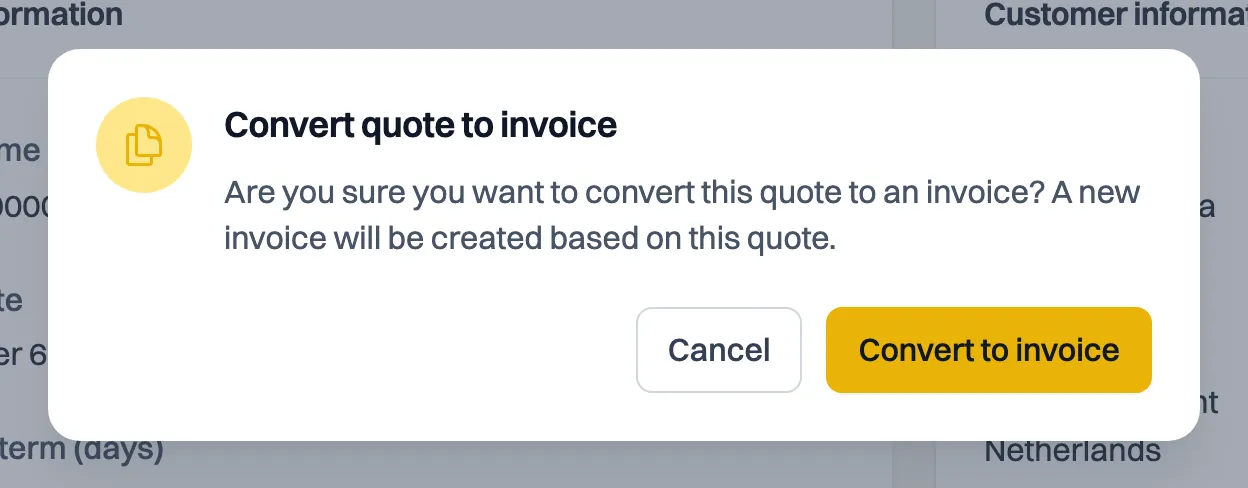
Once your quote is approved, Convert to invoice turns it into an invoice in one go. Milo carries over the customer, the lines, the discount and the remarks, and sets the correct invoice date. You find the button on the quote itself and in the action menu behind the quote in the overview.
When it is possible
The button only appears when the quote has the status Approved and no invoice has come out of it yet. As soon as you have converted, the button disappears: one quote yields one invoice. Double-clicking or trying it in two tabs therefore does not produce a second invoice.
If you want to bill a job in parts, create the follow-up invoices separately.
What Milo carries over
These details come along from the quote:
- the customer;
- every quote line with description, quantity, price and VAT code;
- the discount;
- the remarks and notes;
- your terms and conditions, in the version the quote was sent under. If the quote went out without terms, so does the invoice;
- whether the customer is a private individual or a business.
The dates are set fresh
The invoice gets today's date, not the date of the quote. Milo calculates the due date from the customer's payment term. That matters: the invoice date determines which VAT period the invoice falls in, and an invoice must not land retroactively in a period you have already filed. So converting a January quote in July gives you a July invoice with a normal due date, rather than an invoice that is already overdue the moment it is created.
After converting
The new invoice is a Draft and has no invoice number yet. It only gets one when you send it; see the article on invoice numbers and number series. Check it, adjust anything you need and then send it like any other invoice. While it is a draft you can still add attachments.
The quote stays Approved. The timeline under Status log shows the link both ways: the quote gets a line Converted to a draft invoice, and the invoice a line Created from quote with the quote number. That way you can always trace which invoice belongs to which signed quote if there is ever a dispute.
You see the link on both documents
You do not have to dig through the timeline for that. At the top of the document sits a blue information block with a direct link to the other document:
- the invoice shows Created from a quote, with the quote below it;
- the quote shows Converted to an invoice, with the invoice below it. While that invoice has not been sent, it reads Draft there instead of an invoice number.
The date the other document was created follows its name. One click takes you to the other side of the link. The block only appears when there is something to link to, so you do not see it on a stand-alone invoice.
You see this block both on the detail page in Milo web and on the document's view page.
With a private customer
For a consumer, a statutory cooling-off period of 14 days runs after they agree. You may invoice during that period, but bear in mind that your customer can still withdraw. If they withdraw after you have already created an invoice, the quote's timeline notes that an invoice came out of it; settling that (crediting or adjusting) is up to you. There is more on this in the article on quotes to private customers.
Still stuck? Ask Milo via the chat in the bottom right, or email [email protected].