When you send a quote to a private individual, different rules apply than with a business customer. Your customer then has 14 days to change their mind and may undo the agreement within that period without giving a reason. Milo handles this automatically as soon as you have set the customer type to Private individual (consumer): the statutory information goes along, prices are shown including VAT and a withdrawal button appears on the quote page.
This article explains how Milo works and is not legal advice. If you are unsure about your situation, consult a lawyer.
The customer type decides everything
On a customer you choose under Type between Private individual (consumer) and Business. The consumer rules only kick in for private individuals.
Mind the difference: a freelancer or sole trader is a natural person, but not a consumer. Choose Business there. Private individual is meant for someone buying from you for private purposes.
Milo records the customer type at the moment you send the quote. If the customer record changes afterwards, nothing changes on a sent quote: it keeps the rules it went out under. A draft still follows the customer record, so you can correct it as long as you have not sent it.
Fill in your phone number first
The withdrawal information has to name your phone number. If your company has none, you cannot send a quote to a private individual. You then get the message "Fill in your company phone number first. It has to appear in the withdrawal information a consumer receives with this quote." The quote stays a draft. Fill in the number under Settings > Company details and send the quote again.
What goes out with the quote
On a quote to a consumer, Milo automatically adds the statutory information about the right of withdrawal, including the model withdrawal form. That information:
- is attached as a PDF to the quote email;
- appears on the secure quote page under Documents, ready to download;
- is recorded on the quote, with version and timestamp, so you can later show what you provided.
That last point is exactly what a dispute turns on: the burden of proving that you informed your customer sits with you.
Prices including VAT
For a private customer the VAT-inclusive amount is the headline figure. On the PDF, Total (incl. VAT) sits at the top of the totals block, with the subtotal excluding VAT, any discount and the VAT per rate demoted underneath. On the quote page the VAT-inclusive total sits right next to the button. Nothing changes for business customers: there the familiar build-up from subtotal to total stays as it is.
What your customer sees on the quote page
Before agreeing, your customer sees that a 14-day cooling-off period applies and that your terms and conditions apply, with both documents available to download. In addition:
- the total including VAT, prominently placed by the button;
- a statement that agreeing entails an obligation to pay;
- right by the button, the link Read the information on your right of withdrawal first;
- a checkbox with which your customer can expressly request that you start before the cooling-off period ends. That box is off by default and your customer ticks it themselves.
For a private individual the button does not read I agree but Accept quote with obligation to pay, on the page and in the confirmation window. If you have the quote signed digitally, the button in the signing window reads Sign quote with obligation to pay. The law asks for this wording: the button itself has to say that your customer takes on an obligation to pay.
After agreeing, your customer receives an email confirmation with the quote and the withdrawal information attached. If your customer asked for an early start, that email confirms it too. If your customer signs digitally, that confirmation arrives as the signed copy.
May you start straight away?
That depends on that checkbox, and it is the point where you stand to lose the most money.
- Your customer requested it: you may start immediately. If they still withdraw within the cooling-off period, you may charge a proportionate amount for the work done up to that moment.
- Your customer did not request it: better to wait until the cooling-off period has passed. If you start anyway and your customer withdraws, you cannot charge anything for the work already done.
Milo shows this per quote. A quote to a consumer carries a Consumer law block with when the withdrawal information was provided, when your customer agreed, the date up to and including which the cooling-off period runs, and whether an early start was requested. Underneath it says in plain language what that means for you.
Once your customer has withdrawn, that block no longer tells you to hold off, but reads The customer has withdrawn the agreement: there is no order left and you do not have to carry anything out. If your customer had asked for an early start, it adds that you may invoice a proportionate amount for the work done up to the withdrawal. If they had not, it says you cannot charge anything.
How the cooling-off period is counted
The cooling-off period is 14 days and starts on the day after the agreement. If the last day falls on a Saturday, Sunday or recognised public holiday, the end moves to the next working day. So the date Milo shows is not always exactly agreement plus 14 days. Milo works it out for you and shows the end date on the quote.
The current calculation assumes services, where the period runs from the moment of agreement. When you sell goods, the cooling-off period only starts on receipt. That variant is not in Milo yet and will follow, so digital acceptance by a private individual is meant for services for now.
If your customer withdraws
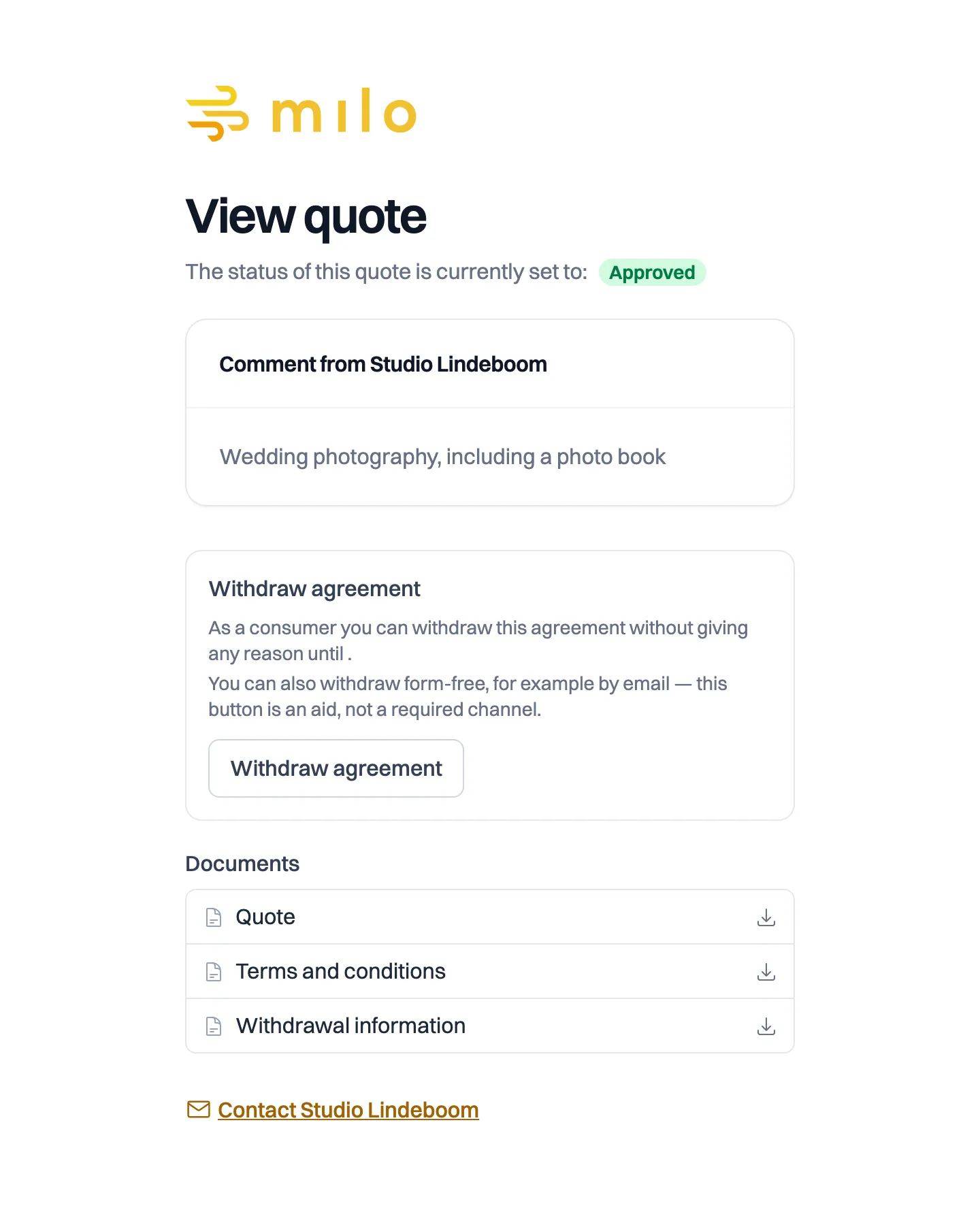
While the cooling-off period runs, the secure quote page carries a Withdraw agreement button. Your customer fills in their name and email address there, may add a statement and confirms in a separate step. Withdrawal is legally form-free, for instance through a plain email to you; the button is a convenience, not the only valid route.
As soon as your customer withdraws:
- the quote gets the status Withdrawn, an end state;
- your customer receives an email confirmation, with a PDF of the withdrawal attached;
- you receive an email telling you your customer has withdrawn;
- the declaration and its timestamp sit on the quote, under Reason for withdrawal and in the timeline.
The administrative settlement is up to you. If you had already created an invoice from the quote, the timeline notes that, so a withdrawal does not read as finished while an invoice is still outstanding.
Check your existing customers
Milo cannot know whether a customer you created last year is a consumer. So go through your customer list once and set the type correctly. Wrongly choosing Private individual is less harmful than wrongly choosing Business: a cooling-off period you offer voluntarily does bind you, but failing to inform a consumer who was entitled to it can stretch the period to well over a year.
Still stuck? Ask Milo via the chat in the bottom right, or email [email protected].