You get your invoices out of Milo in different ways: one at a time as PDF or UBL, or several at once via the bulk actions.
Downloading one invoice
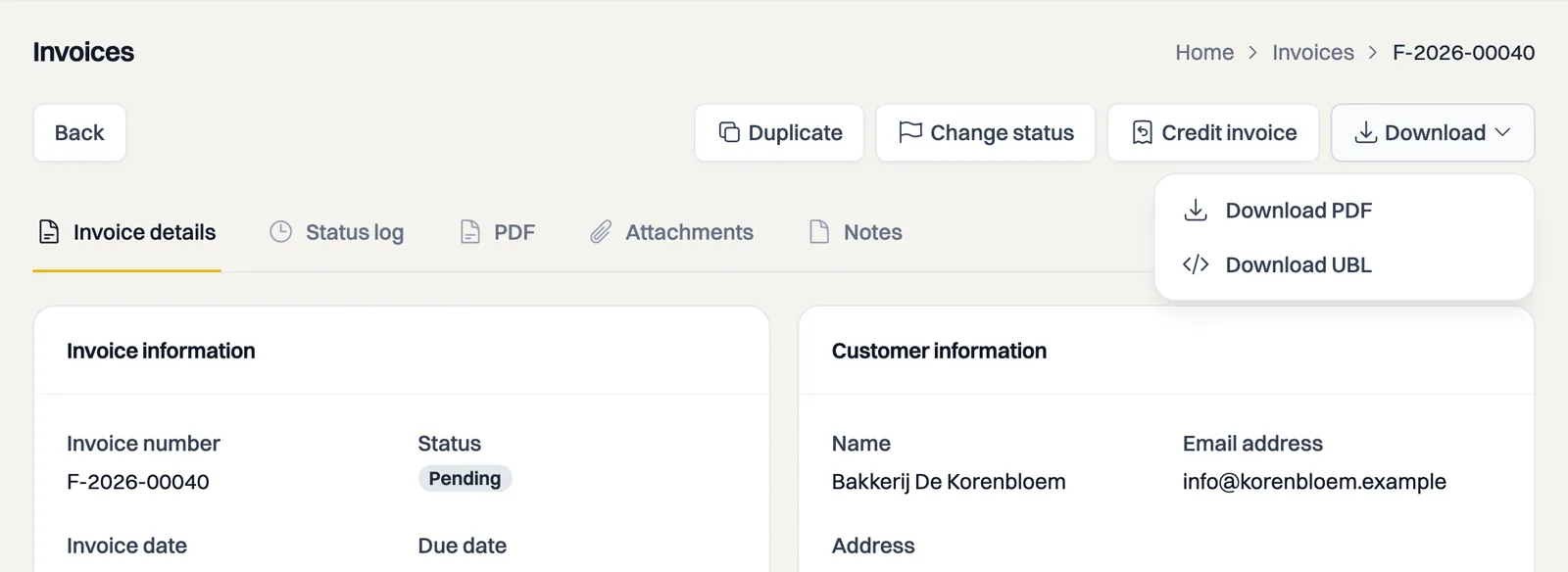
Open an invoice and use Download to save it as a PDF or as a UBL file (the e-invoice). Under the PDF tab you can also view the invoice directly.
Several invoices at once
To grab a whole set, select multiple invoices in the invoice overview and choose Download merged PDF under Actions. Despite the label, you get a single zip file containing one PDF per invoice. How to select documents is covered in the article on handling several invoices or quotes at once.
Taking your whole administration with you
A button to export your whole administration in one go is still to come. Until then, request the full export through support: email [email protected] with your account number and what you want. You get the export within 5 working days at most. How switching works, in which formats you get your data and what it contains is set out at milomoves.nl/en/take-your-data.
For your accountant
The UBL file is the most suitable format for accounting packages, because almost every package can read it. A CSV export of invoices is not available yet. You can import the catalog via CSV.
Still stuck? Ask Milo via the chat in the bottom right, or email [email protected].