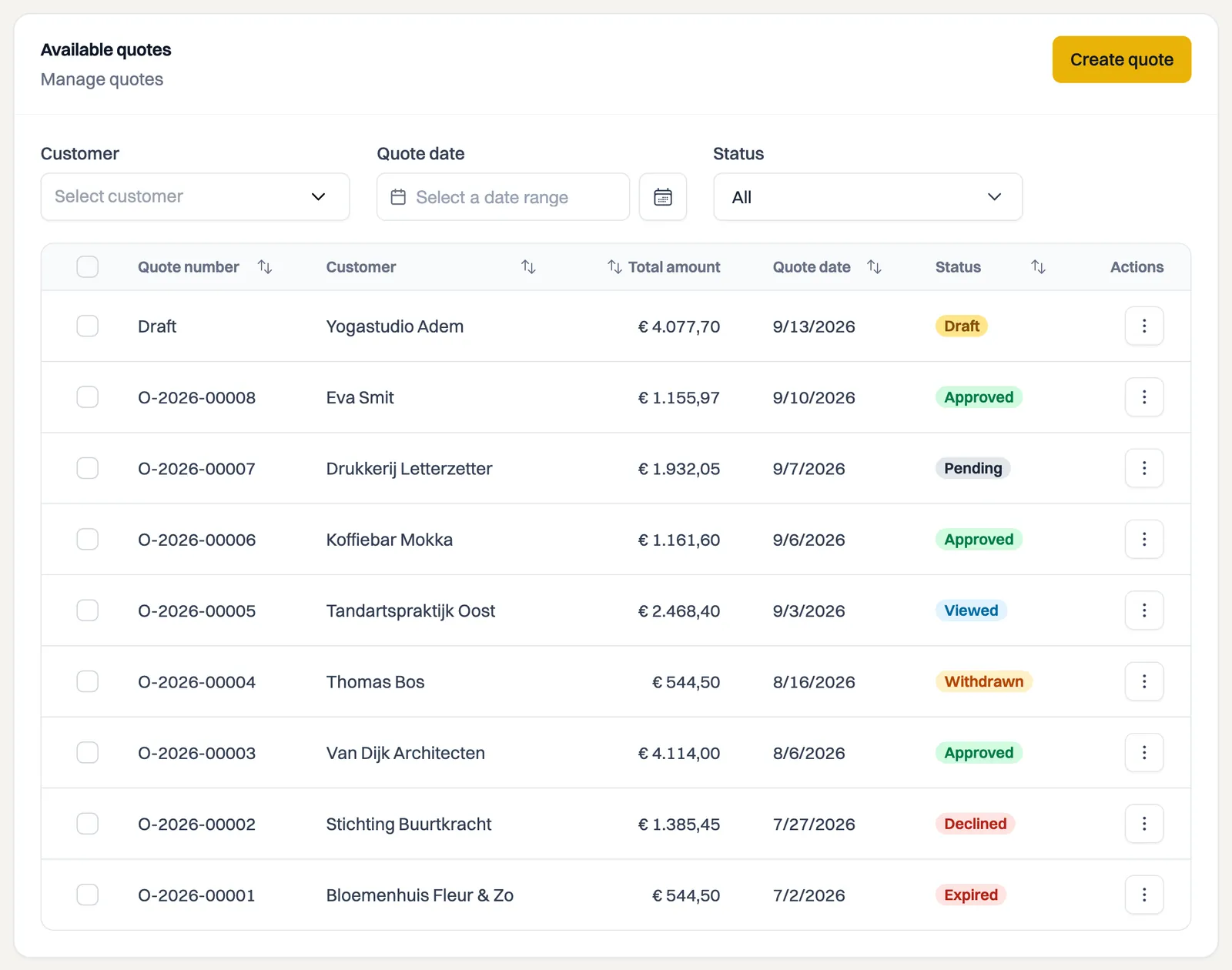
Every quote has a status showing where it stands. Milo keeps it up to date largely by itself: sending, your customer opening it and the validity term running out all happen automatically. The main thing to know: a sent quote is fixed and cannot be changed.
The statuses
- Draft: not sent yet. Everything is still free to change, attachments included.
- Pending: sent to your customer, awaiting a response.
- Viewed: your customer has opened the quote through the secure link.
- Approved: your customer agreed, possibly with a digital signature.
- Declined: your customer declined the quote, with a reason.
- Expired: the validity term passed without a response.
- Revoked: you withdrew the quote yourself, with a reason.
- Withdrawn: a private customer undid the agreement within the cooling-off period.
A sent quote is fixed
The moment you send it, the quote is final. You cannot change the lines, amounts or attachments afterwards, and a quote cannot go back to Draft. Declined, Expired, Revoked and Withdrawn are end states.
That is deliberate. Your customer holds a PDF carrying a quote number, and that document has to remain exactly retrievable as it was sent. If you could edit an expired quote and resend it under the same number, two different documents would exist with the same name.
Changing something anyway
If you want to make a revised proposal after a rejection, an expiry or a revocation, create a new quote. The fastest route is Duplicate in the action menu: you get a copy as a draft, with a new quote number, which you adjust and send. The original quote stays on as history.
Changing the status yourself
Change status on the quote shows the steps possible from the current status. In practice that comes down to:
- Revoke while the quote is pending or viewed, for instance when the job is off;
- Approve or Decline when your customer responded by phone or email instead of through the link.
For declining and revoking, Milo asks for a reason. You see it back on the quote under Reason for rejection or Reason for revocation.
Withdrawal by a private customer
Withdrawn only occurs on quotes to private customers. They have 14 days to change their mind after agreeing and can undo the agreement in that period through the button on the secure quote page. You get an email about it, and the declaration sits on the quote under Reason for withdrawal. There is more on this in the article on quotes to private customers.
The timeline
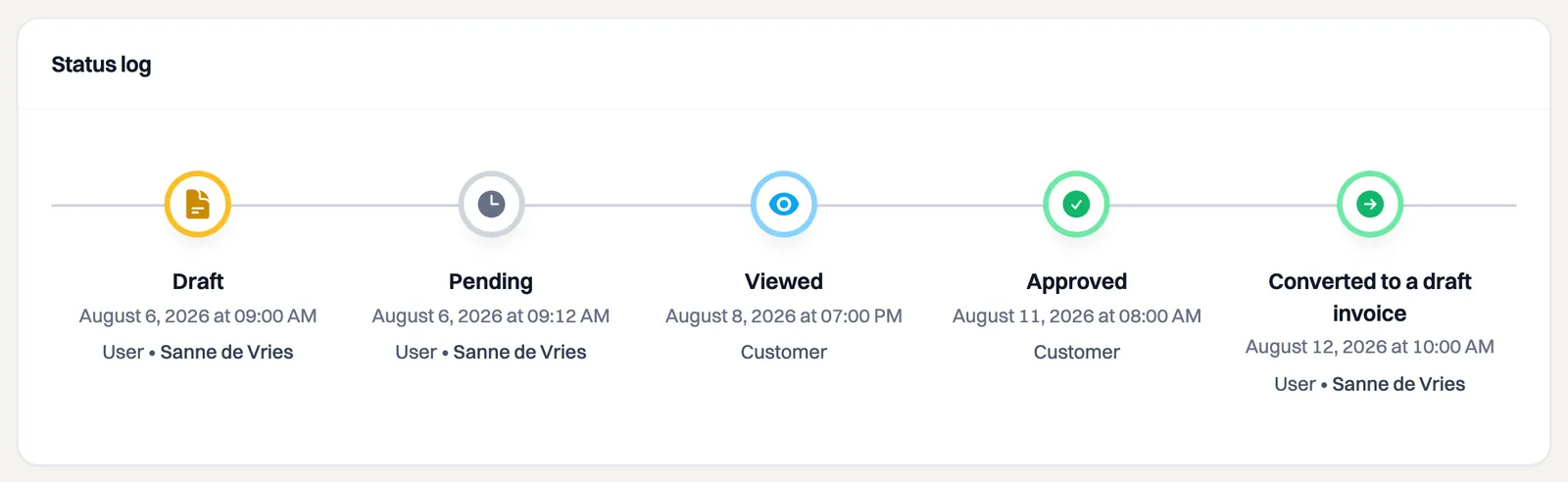
Under Status log you see the full history of a quote: every status change with date, time and who made it (you, your customer or Milo itself). Converting to an invoice shows up there too, as the line Converted to a draft invoice. The invoice number is not there yet: the invoice only gets one when you send it.
Still stuck? Ask Milo via the chat in the bottom right, or email [email protected].