If you work with your own terms and conditions, you upload them to Milo once. From then on they go out automatically with every quote you send, and your customer can download them from the secure document page. An invoice only gets them if it comes from a quote with terms, in the same version. A credit note takes them from the invoice you credit. You set them up under Settings > General > Documents.
Why this matters
Terms and conditions only apply if your customer was able to read and keep them before or when the agreement was made. If you do not send them along, your customer can have them set aside later, which means your terms do not apply. Setting them up in Milo makes them go out with your quotes by themselves, without you having to think about it.
Milo does not put them on a standalone invoice. That only comes after the agreement, so a reference on it would suggest that terms apply which your customer never received. If you work without a quote, give your terms to your customer yourself, before or when the agreement is made.
Uploading your terms
- Go to Settings > General and open the Documents tab.
- Click Upload terms.
- Choose your PDF file. Only PDF is accepted, up to 10 MB.
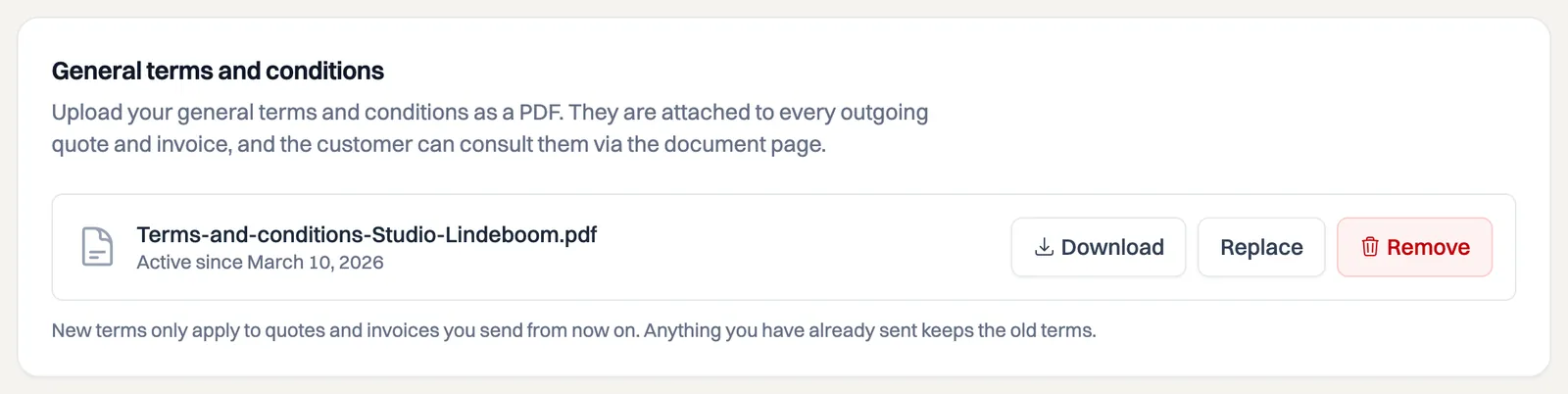
After uploading you see the file name and the date the terms became active. Use Download to check what you uploaded.
Replacing and versions
Click Replace to upload a new version. Milo treats that as a new version and leaves everything you have already sent untouched: every sent document keeps the version it went out with. That way you can always establish which terms belonged to which quote, even if you have revised your terms three times since.
Remove stops the terms being sent along. That also only works forward: new quotes go out without terms, sent documents keep their version. An invoice from a quote you sent earlier still takes over that quote's terms.
What your customer receives
Which document gets terms depends on its type:
- Quote: the terms that are active at that moment.
- Invoice from a quote: the terms of that quote, in the same version. If the quote went out without terms, so does the invoice.
- Credit note: the terms of the invoice you credit, if it had them.
- Any other document, such as a standalone invoice, a recurring invoice or a standalone credit note: no terms.
When terms go along, three things happen:
- The terms are attached to the email, with a line in the body saying they are included.
- The PDF states that your terms and conditions apply, and that your customer finds them attached to the email and on the document page.
- The secure document page lists them under Documents, next to the PDF of the document itself.
So when you convert an approved quote into an invoice, your customer keeps the version they received with the quote, even if you have replaced your terms since.
The warning when sending
If you have not set up any terms, sending a quote shows the message No terms and conditions set, with a link to the settings. If you deliberately work without terms, simply ignore it and send the quote. The message is there because adding them afterwards is not possible: a sent quote does not change.
Frequently asked questions
Can I send different terms per customer or per quote? No, there is one set of terms per company. If you run several companies in Milo, you set them up separately for each one.
Can I upload a Word file? No, PDF only. Your customer receives the file unchanged, so it has to be a format that opens the same way everywhere and cannot be edited.
Do the terms go out with invoices too? Only if the invoice comes from a quote with terms. A credit note follows the invoice you credit. Without such a source, an invoice or credit note goes out without terms.
Still stuck? Ask Milo via the chat in the bottom right, or email [email protected].