Milo emails you when certain things happen in your administration. You choose what you receive under Settings > General, on the Notifications tab. These settings apply per company, so if you run several administrations you set them per administration.
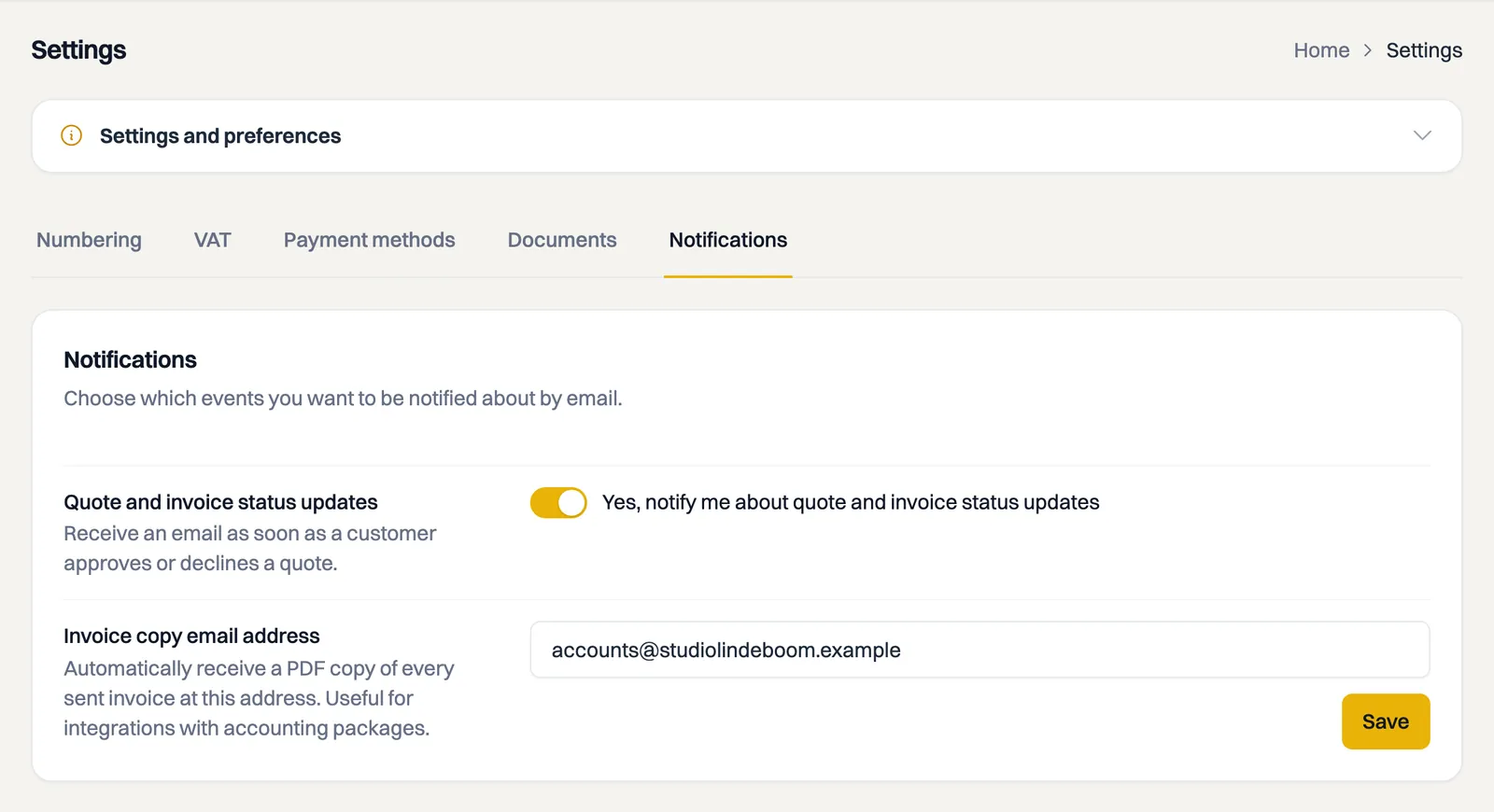
Quote and invoice status updates
At the top is Quote and invoice status updates, with the toggle Yes, notify me about quote and invoice status updates. It is on by default.
With the toggle on, you are notified as soon as a customer acts on a quote themselves: Approved or Declined. That email goes to your company email address, which you fill in under Settings > Company Details, so not necessarily to your personal address.
The toggle saves straight away and you see the message Settings saved successfully. If saving fails, the toggle flips back to its previous position, so what you see matches what was stored.
A copy of every invoice you send
Under Invoice copy email address you enter an address that automatically receives a copy of every invoice you send, with the PDF attached. Handy if your accountant wants to receive everything, or if you keep your own archive.
- Enter the address, for example [email protected].
- Click Save.
Good to know:
- The copy goes out at the moment the invoice goes to your customer, so as soon as the status becomes Pending.
- Quotes are not included, only invoices and credit notes.
- Leave the field empty and Milo sends no copy.
What Milo sends besides this
Not everything is on this tab. Milo also sends:
- the invoice or quote itself to your customer, with a secure link;
- automatic reminders to your customer three days before the due date, with a copy to your company. That is included in every plan; see the article on sending payment reminders;
- a reminder to you, a week before your trial period ends;
- a reminder to you, a week before a discount code on your subscription expires;
- a reminder to you, 30 days before your yearly subscription renews, with the renewal date and the amount;
- our VAT invoices for your subscription, to your account's email address;
- messages about your account when your trial or subscription runs out or a payment fails: when the transition period starts, when the retrieval period starts, a week before we delete your data, and when the agreement ends. Those go to the account owner and are separate from this tab. See the article about after your subscription;
- a message when a messaging channel such as WhatsApp is linked to your account, naming the linked number and the administration. That email only arrives when the link is made, not when it renews itself. See the article on the Milo bot.
Notifications outside your mailbox
If you have linked WhatsApp to Milo, you also get a message there when a customer approves a quote or when a payment on an invoice comes in. That is separate from the settings on this tab. See the article on Milo on WhatsApp.
The mobile app can send push notifications to your phone. Those do not name the customer or the document number. You turn them on in the app itself; see the article on the Milo mobile app.
Still stuck? Ask Milo via the chat in the bottom right, or email [email protected].