Under Settings in the menu you set how Milo works for you. The section consists of General, Company Details, Branding and Subscription. The General page holds the preferences, spread across tabs.
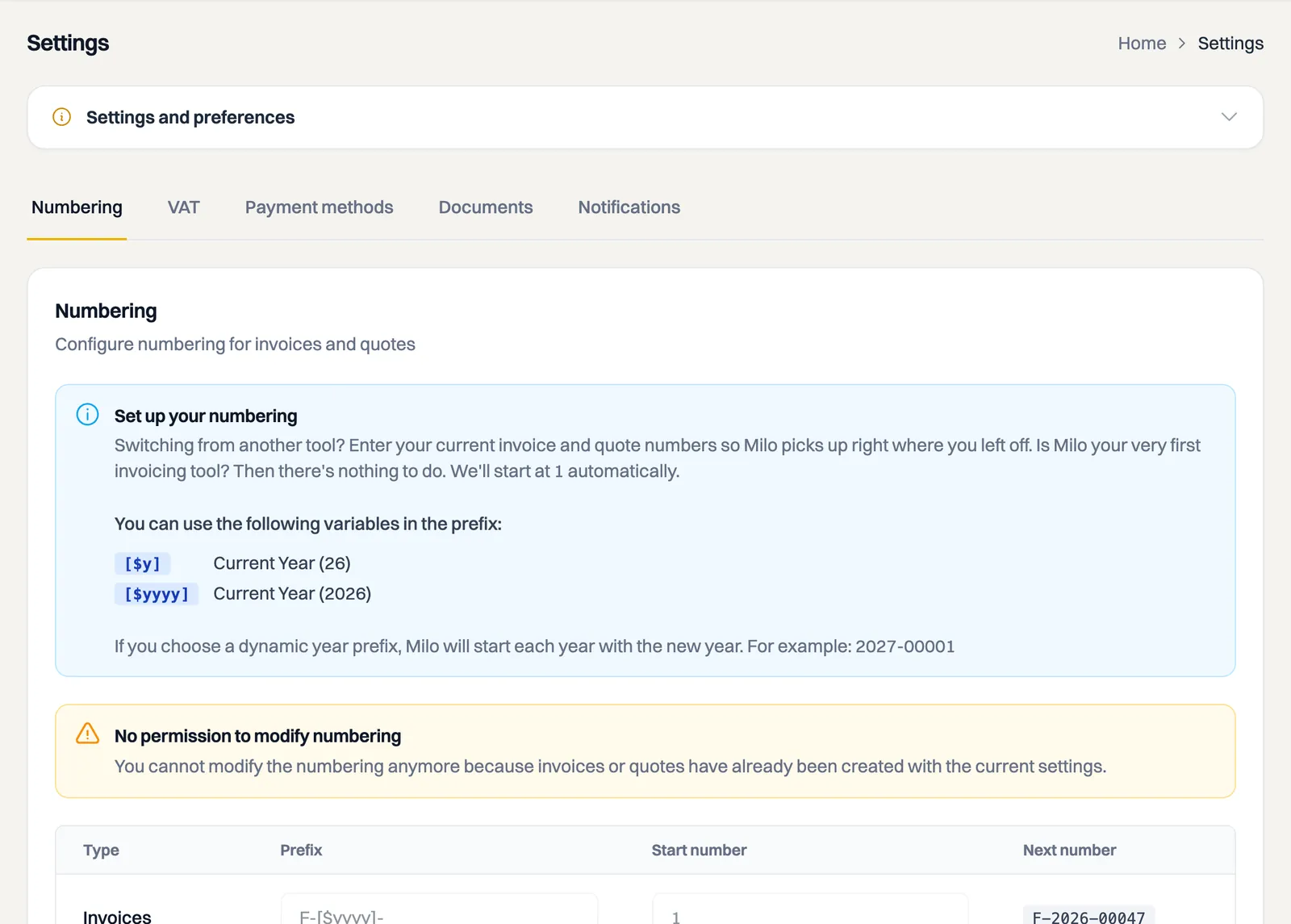
Tabs under General
- Numbering: set the numbering of your invoices, quotes and credit notes. If you are switching from another package, enter your current number so Milo continues from there. In the prefix you use variables for the year:
[$y]for the short year (26) and[$yyyy]for the full year (2026). With a dynamic prefix the numbering starts over each year. See the article on invoice numbers and number series. - VAT: this holds the card Small business scheme (KOR) with the switch Yes, I apply the small business scheme. When you turn it on, Milo offers only the KOR code and the statutory exemption text appears on your invoices. Existing drafts, recurring invoices, catalog items and projects keep the VAT code they already had; you change those yourself. You can read more about VAT codes and the KOR in the article on VAT on invoices.
- Payment methods: set how customers can pay. See also the article on online payments.
- Documents: this holds Attach invoice and quote, where you decide whether the document itself travels with the email as an attachment. On the same tab you upload your terms and conditions; Milo sends those along automatically with every quote, and an invoice from such a quote takes them over. See the articles on sending an invoice to your customer and on setting up and sending your terms and conditions.
- Notifications: choose which events you want to be notified about by email.
Which tabs and options are available depends on your plan and your permissions.
Light or dark theme
The colour scheme is not part of Settings. Switch between light and dark with the moon icon in the top bar, on the right.
The other sections
Besides General, Settings also includes:
- Company Details: your company's details that appear on invoices and quotes. You can read how to set up your first company in the article on setting up your company.
- Branding: the layout of your PDF documents.
- Connected channels: the messaging channels attached to your account, such as the Milo bot on WhatsApp, with the linked number and when the channel was last used. This is where you break a link without needing access to the chat. See the article on the Milo bot.
- Subscription: your current subscription, your usage, choosing a plan and cancelling your subscription. At the bottom of that page you also find the Terms card, with our terms and conditions, the data processing agreement and the privacy statement, and which version is on file for your account.
Use Settings > Users to invite colleagues. Invoice and quote numbering is locked once documents of that type have been created. Payment methods are under Settings > General > Payment methods, the small business scheme (KOR) under VAT, Terms and Conditions under Documents, and email preferences under Notifications.
Still stuck? Ask Milo via the chat in the bottom right, or email [email protected].