Time tracking reports are part of Professional, as during your trial. On Starter, Reports still appears in the menu, but opens a window pointing you to the plans.
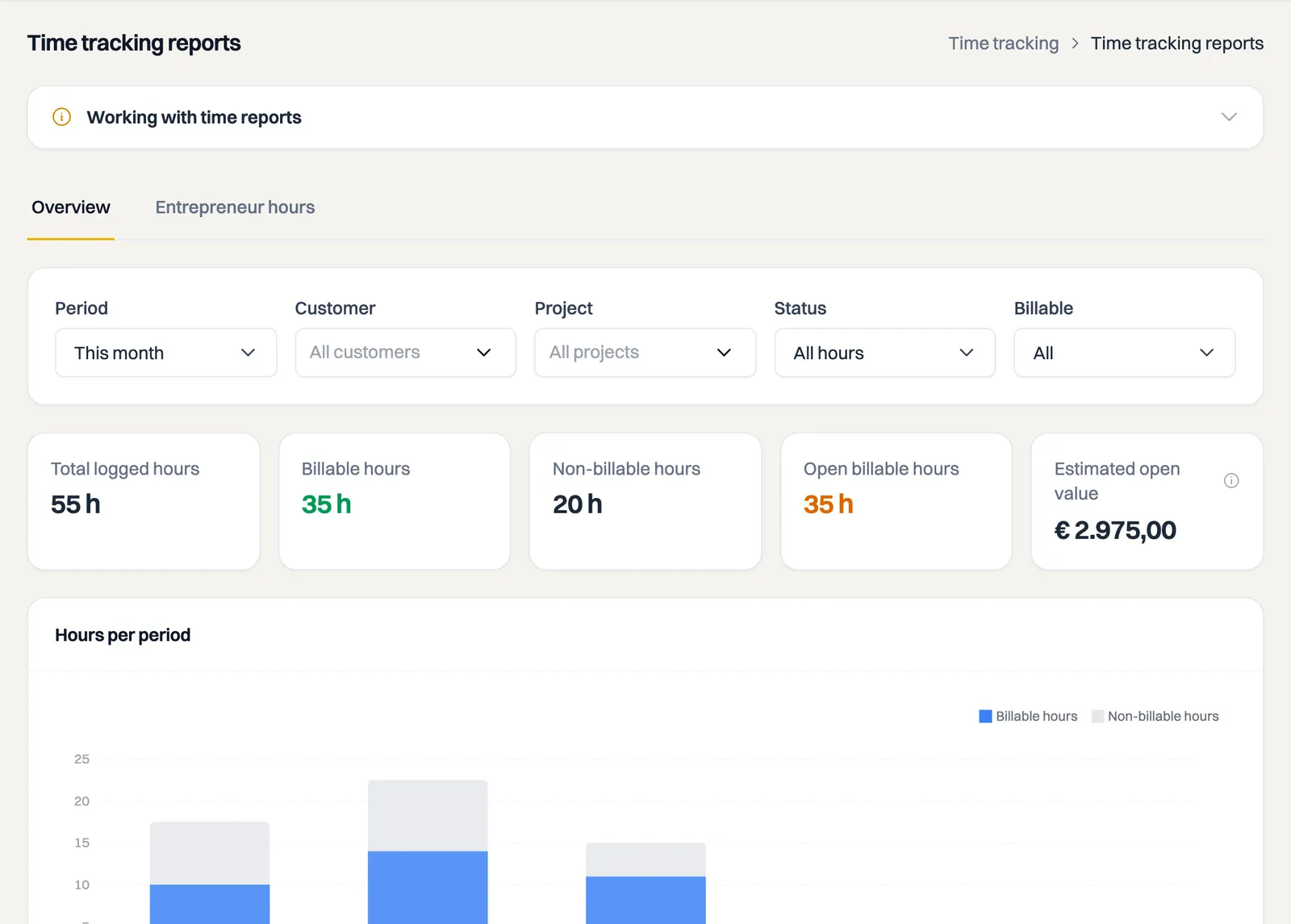
Under Time tracking > Reports you can see at a glance how many hours you have logged, which part is billable and what is still open to invoice. Useful for your monthly or quarterly wrap-up, or to see which customers and projects take the most time.
Period and filters
At the top you pick the Period: this month, last month, this quarter, this year or a custom range. You can also filter by Customer, Project, Status (all hours, open or invoiced) and by Billable. The report recalculates instantly with every change.
What you see
- Key figures: total logged hours, billable and non-billable hours, open billable hours and the estimated open value. That value is an estimate based on the current hourly rate of your projects.
- Hours per period: a chart of your logged hours per week or month.
- Top customers and top projects: where your time goes.
- Table per customer and project: totals per project, with open hours and estimated value.
Use View hours behind a row to jump straight to the time entry list, filtered to that project and the same period.
Exporting to CSV
With Export CSV you download the table as a CSV file that opens directly in Excel — for example for your accountant or your own records.
Entrepreneur hours tab
If your company is established in the Netherlands, you will also see the Entrepreneur hours tab next to Overview. It tracks your progress toward the Dutch hours criterion for entrepreneur deductions. You can read more about it in the article about the hours criterion.
Still stuck? Ask Milo in the chat at the bottom right, or email [email protected].
For the previous quarter, choose Period > Custom and enter its start and end dates. Then choose your Project, Status > Open and Billable > Billable. The Entrepreneur hours tab totals logged billable and non-billable business hours for the whole current calendar year. Overview filters do not change that annual total. Milo shows logged hours, not a tax assessment.