You arrange cancellation yourself in Milo web, at any time. Your subscription then runs to the end of your billing period. If you pay per year, that is the end of the year and nothing is refunded.
Cancelling your subscription
- Go to Settings > Subscription.
- Below your current plan, click Cancel subscription.
- Confirm in the Cancel subscription? window.
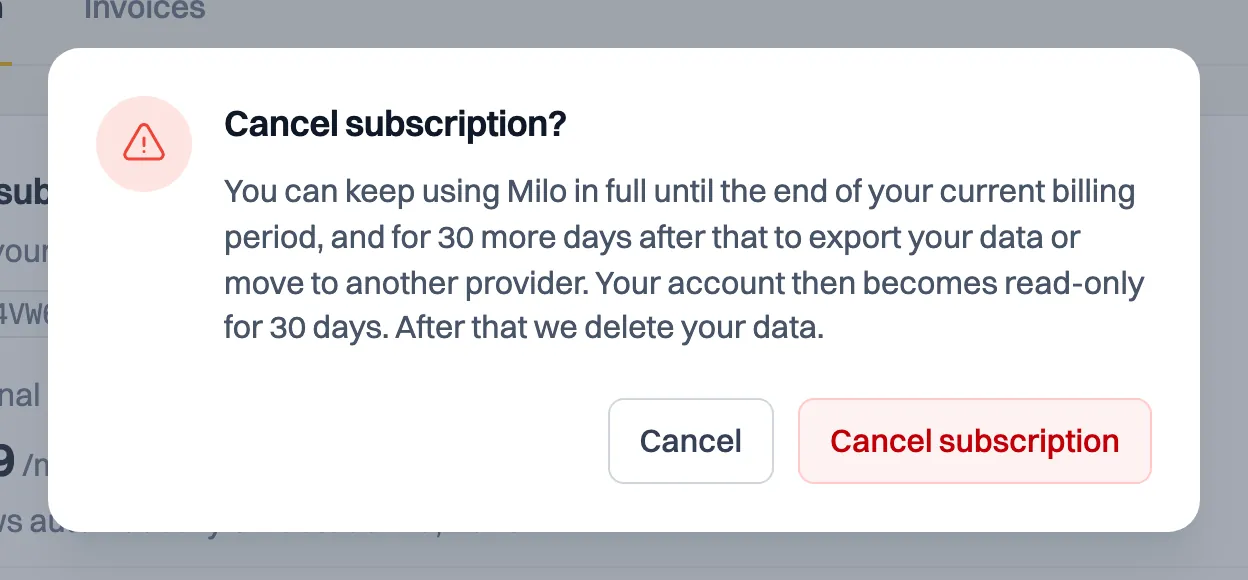
Nothing changes until the end of your current billing period. Once cancelled, the same page shows the date your billing period runs until.
Only the owner of the account can cancel. If you are not the owner, this page shows a notice instead of the button.
If you pay per year
You pay the year up front. If you cancel partway through, your subscription runs to the end of the year and nothing is refunded. That is why you get an email with the renewal date and the amount thirty days before the renewal. Cancel before that date and it costs nothing.
What happens after that
When your paid period is over, Milo does not stop at once. You first get a transition period of 30 days in which everything keeps working, so you can export or move at your own pace. After that your account is read-only for 30 days: viewing and downloading still work, creating and sending do not. Only when that period ends does Milo delete the account's data.
The account owner can extend the transition period once, and you decide by how many days. You get an email at every step, and until the last day you can come back by choosing a plan. The whole wind-down is covered in the article about after your subscription.
Changed your mind?
As long as your current period is still running, you can undo the cancellation with Resume subscription on the same page.
During your trial
If you have not chosen a plan yet, there is nothing to cancel: your trial simply ends and you pay nothing. You do not have to do anything yourself. Your account is then read-only, and after a transition period of 30 days and a retrieval period of 30 days Milo deletes the data. See the article about after your subscription.
Save your invoices first
If you want to keep your own archive, download your invoices as PDF or UBL beforehand. How that works is covered in the article on downloading and exporting invoices. If you also want your access and personal data to be permanently removed, use Delete account in your profile or the mobile app. The article on permanently deleting your Milo account explains the consequences and steps.
Still stuck? Ask Milo via the chat in the bottom right, or email [email protected].