Without a running subscription, Milo puts your account in read-only mode. Nothing is lost right away: your administration stays fully visible and you can keep downloading everything. Creating new documents or changing existing ones only works again once you choose a plan.
When this happens
Your account goes read-only when there is no valid subscription left:
- your trial has ended and you did not choose a plan. That takes effect immediately;
- you cancelled, your paid period is over and the 30-day transition period after it has passed as well;
- a payment failed and the 14-day grace period after it has passed.
What happens next depends on how you got here:
- After a trial a transition period of 30 days runs first, which you can extend once, followed by a retrieval period of 30 days. In both you can only view and export.
- After cancelling you do not go read-only straight away: you first get a transition period in which everything keeps working. Only the 30-day retrieval period after it is read-only.
- After a failed payment you stay read-only until the payment succeeds. If it does not, Milo ends the subscription after 60 days and the 30-day retrieval period follows. If you asked to switch, you first get a transition period of 30 days, read-only as well.
Once the retrieval period is over, Milo deletes the account's data. How that runs, and how to extend the transition period, is covered in the article about after your subscription.
What you see
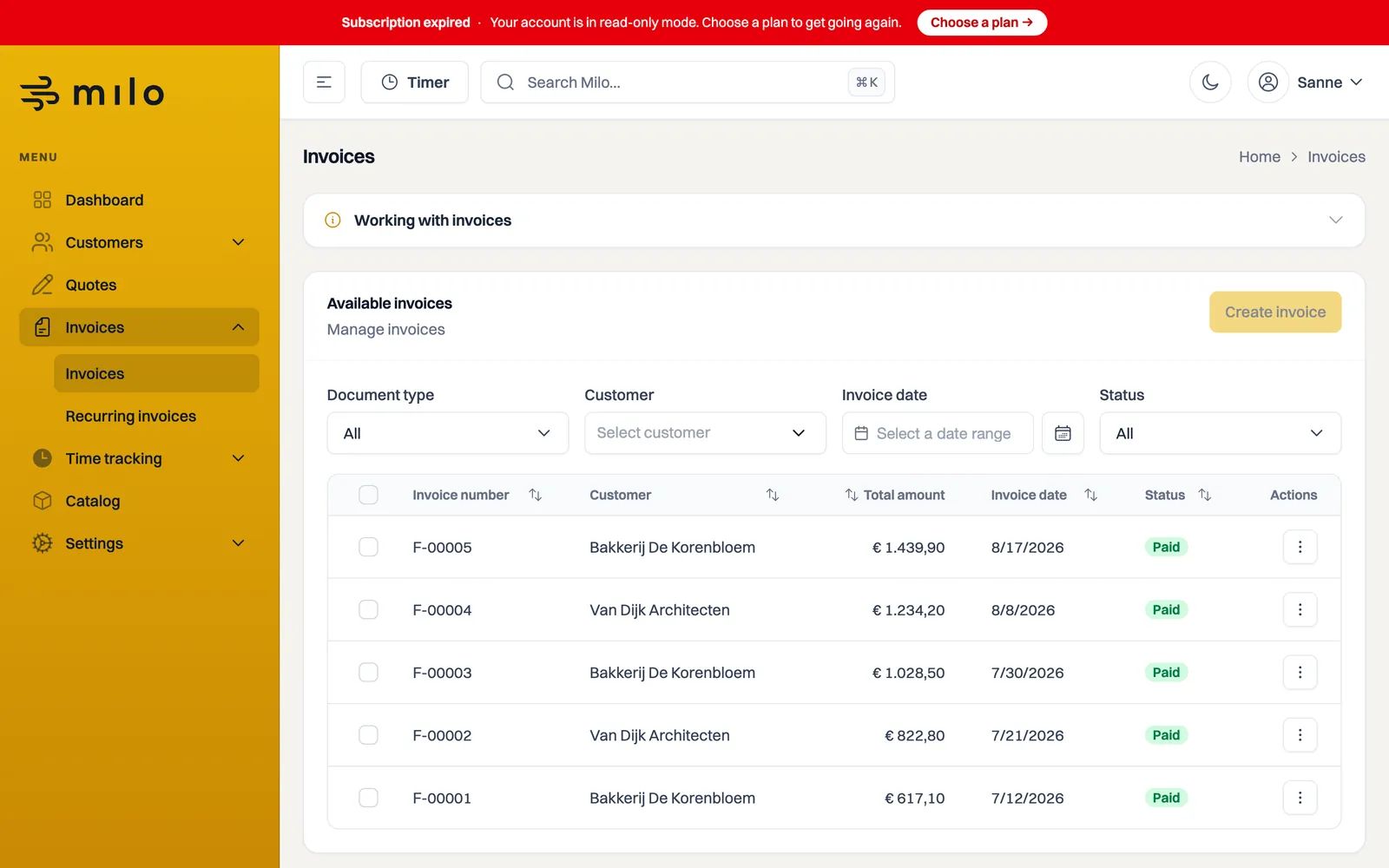
A red bar appears at the top of the screen. With an unpaid subscription it is titled Subscription expired, saying your account is in read-only mode. The Choose a plan button takes you straight to your subscription. This bar cannot be dismissed, because it explains why some buttons no longer work.
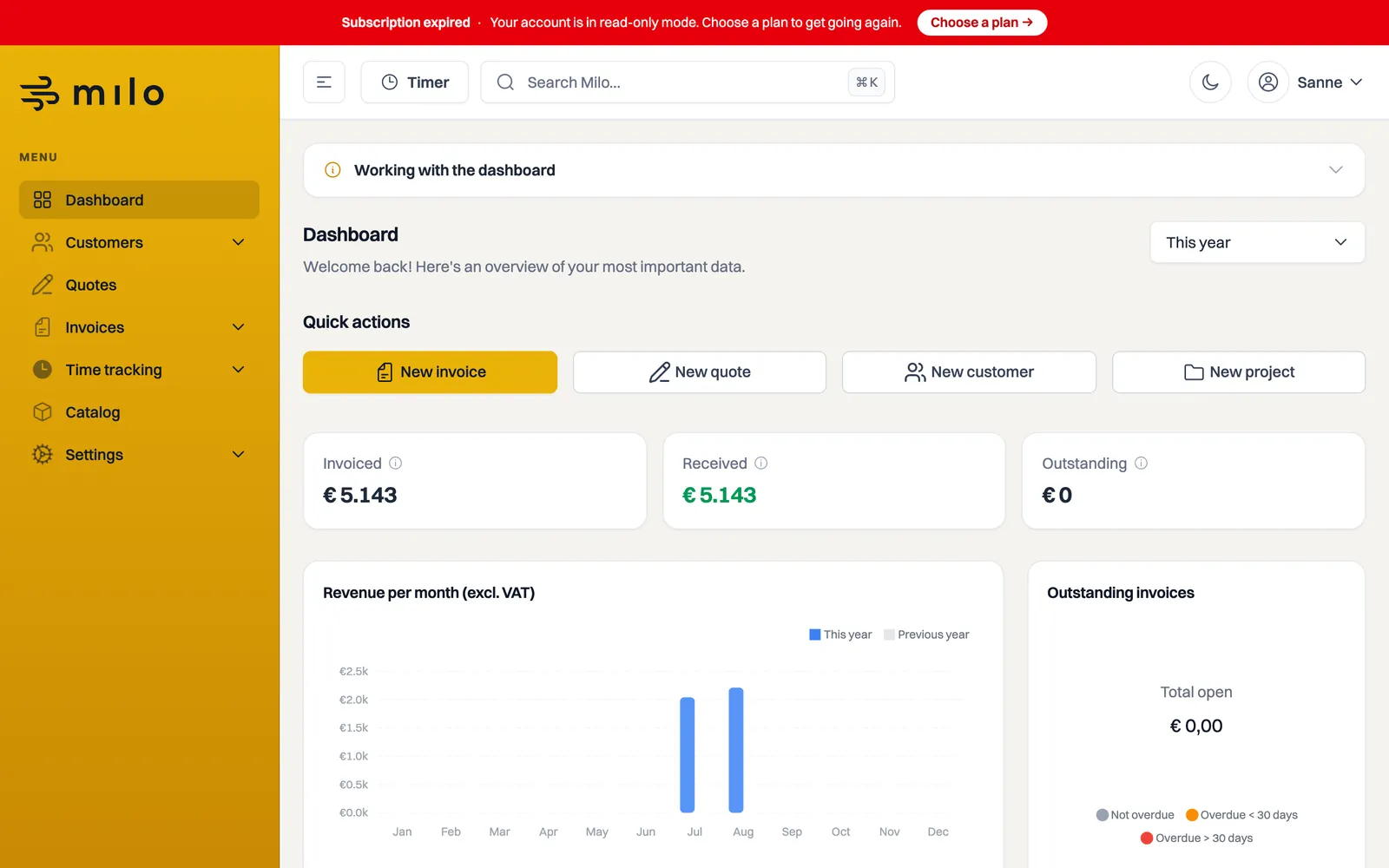
If you do open a page to create or edit something, the Subscription expired window appears with the Go to subscription button, and you stay where you were.
If only a payment failed, you first see an orange Payment failed bar with the Go to billing button. You can dismiss that one and your account keeps working normally: only once the grace period is over does the account go read-only.
If you are in the wind-down after cancelling, the bars are different. During the transition period it reads Subscription ended with a See your options button, and everything still works in full. During the retrieval period after it, Account read-only names the date until which you can view and export your data.
If your trial has ended, or your subscription was terminated after you asked to switch, the bar reads Account read-only right from the start of the transition period, with the end date and a See your options button. There you can also extend the period once.
What still works
- Viewing and searching everything: invoices, quotes, credit notes, customers, projects and hours.
- Downloading your documents as PDF or as a UBL file.
- Updating your user profile, changing your password and managing two-factor authentication or passkeys.
- Choosing and paying for a plan, since that is the way back.
What no longer works
- Creating or changing invoices, quotes, credit notes, customers, projects and hours.
- Sending documents or changing their status.
- Using bulk actions: the Actions button in the overviews is disabled.
- Changing your settings and company details.
Buttons for these actions stay visible but disabled, so you can see what will become available again.
Getting going again
- Go to Settings > Subscription, or use the button in the red bar.
- Under Choose a plan, pick the plan that suits you.
- Complete the payment.
Once your subscription is running, the bar disappears and everything works as before. Your existing administration is exactly as you left it. The article on plans and pricing explains which plans there are.
Still stuck? Ask Milo via the chat in the bottom right, or email [email protected].