You can permanently delete your Milo account yourself in Milo web or the mobile app. Your access ends as soon as Milo accepts your request. This action cannot be undone.
Check before deleting
- Download any invoices and other documents you want to keep. You cannot access your administration after deletion.
- If you own an account that still has other active users, you cannot delete your account yourself. Have ownership transferred first; see below.
- Make sure you know your current password. If you have forgotten it, reset it first with Forgot password on the sign-in screen.
Deleting your account in Milo web
- Sign in to Milo and open your user menu in the top-right corner.
- Choose Profile and open the Delete account tab.
- Enter your current password.
- Tick the box confirming that you understand your access ends immediately and the action cannot be undone.
- Click Permanently delete my account and confirm once more.
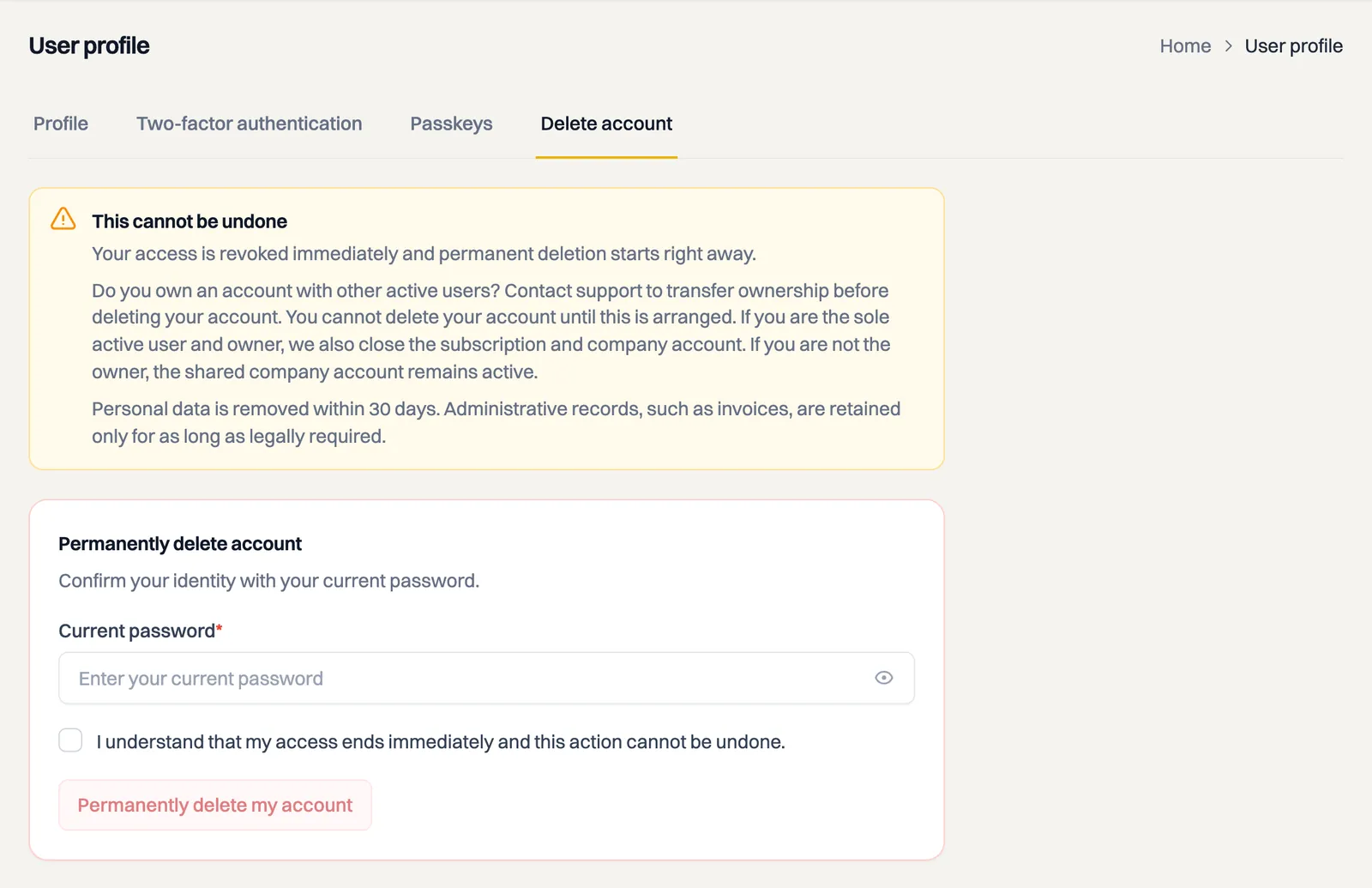
You can also go directly to Delete account in your profile. Milo signs you out as soon as the request is accepted.
Deleting your account in the mobile app
- Tap the gear at the top right.
- Under Account, choose Delete account.
- Enter your current password and tick the confirmation box.
- Tap Permanently delete my account and confirm the final warning.
The mobile app clears your local session only after the server accepts the request. If you see an error, check your password and internet connection and try again.
Do you own a shared account?
If there are other active users on the account besides you, Milo refuses your request. You get a message saying you need to contact support to have ownership transferred. Nothing changes at that moment: your access keeps working and nothing is deleted.
Milo does not appoint a successor by itself. Whoever becomes the owner also manages the subscription and the invoices, and that is not something to hand someone unasked. So mail [email protected] and say which colleague takes over ownership. After that you delete your own profile as described above.
What happens next?
- Your access is revoked immediately and you are signed out. Your existing sessions, passkeys, two-factor authentication and mobile push connections are removed.
- If you are the owner and there are no other active users, Milo also closes the company account and subscription.
- Deleting an invited user profile does not change the owner, and the shared administration continues for the other users.
- Milo removes your personal data within 30 days. Administrative records, such as invoices, are retained only for as long as legally required and are no longer accessible to you.
Cancelling a subscription is different
If you only want to stop paying but keep viewing and downloading your administration, cancel your subscription under Settings > Subscription. After your paid period Milo keeps working in full for 30 days, then the account is read-only for another 30 days. Only when that period ends does Milo delete the data. The article about after your subscription explains how that runs. Use account deletion only if you also want your access and personal data to be permanently removed.
Still stuck? Email [email protected] before deleting the account.