Milo helps you follow up on outstanding invoices, both automatically and manually. That way it takes little effort, while you stay in control.
Automatic reminders
Automatic reminders are included in every plan, so in Starter and in Professional. You also have them during your trial.
Three days before the due date, Milo automatically sends the customer a reminder that the invoice is about to expire, as long as it has not been paid. You receive a copy at your company email address. This happens once per invoice. For an invoice that has already been credited in full, no reminder is sent.
If the invoice is still open on the due date, it gets the status Expired.
Sending a reminder yourself
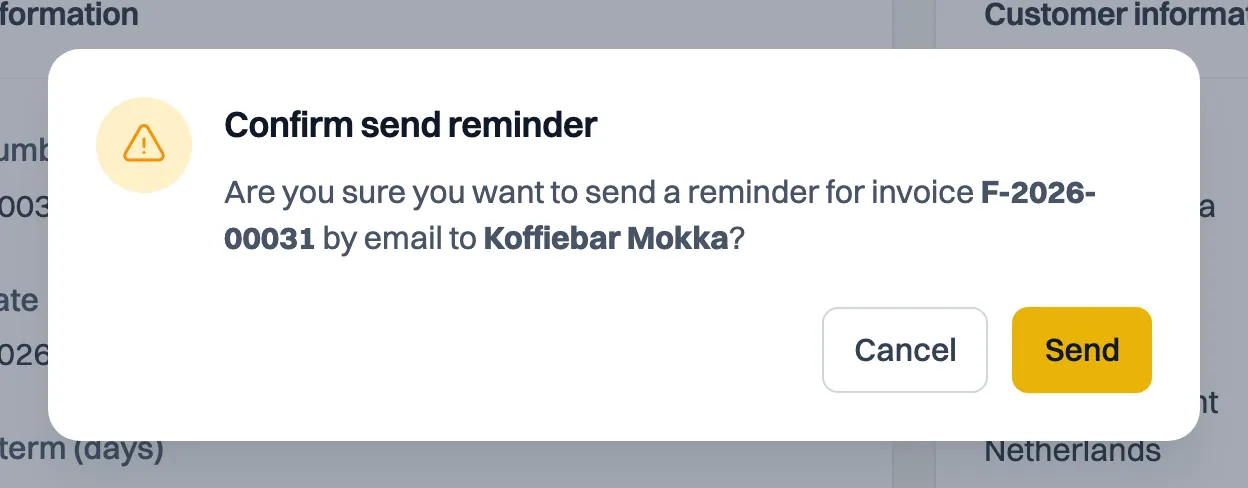
For an expired invoice you can send an extra reminder yourself with Send reminder. You can do this per invoice, or in bulk: select several invoices in the overview and send them a reminder in one go. Handy when several invoices are outstanding at once.
Seeing what was sent
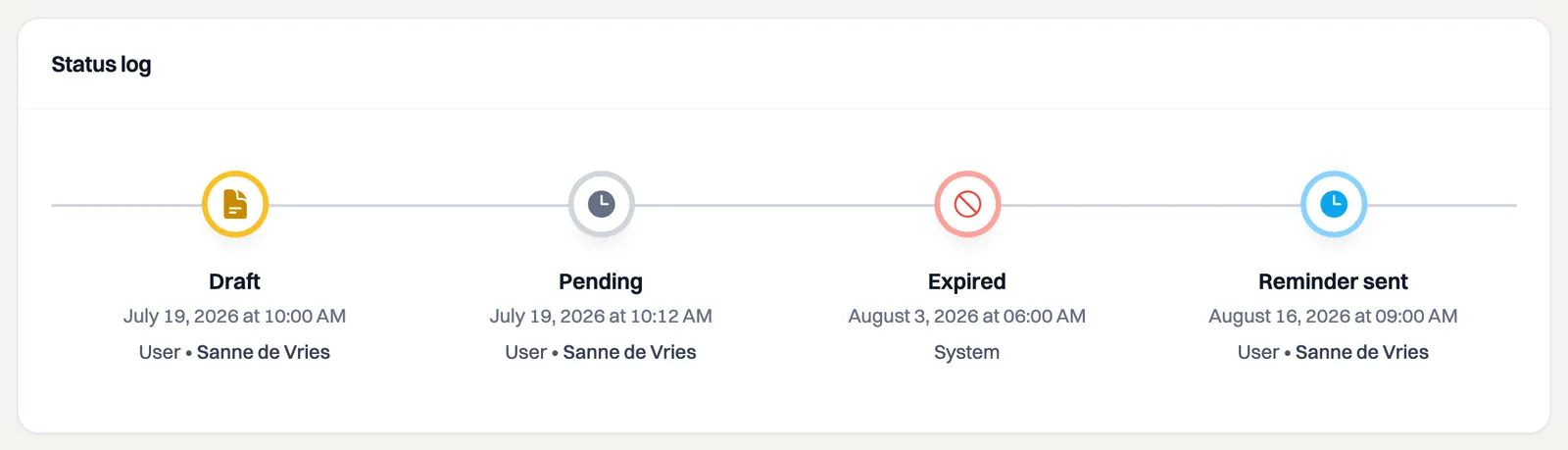
Every reminder that goes out appears in the invoice's Status log, with the date and time. So you always know when a customer was last reminded.
Still stuck? Ask Milo via the chat in the bottom right, or email [email protected].